
Practical Tips for Reducing Screen Strain at Home
Screens are part of everyday life, from work and school to entertainment and staying in touch. Spending long periods looking at a display can leave you feeling tired, dry-eyed, or uncomfortable. The good news is that a few simple changes can make screen use more comfortable at home.
Reducing screen strain does not require expensive equipment or a complete change to your routine. Start with your workspace, then build small habits that support regular breaks and better screen comfort.
Set Up Your Screen at the Right Distance
Where you place your screen can affect how comfortable it feels to use. A monitor that is too close may encourage you to focus intensely, while one that is too far away can make text difficult to read.
Try these basic setup guidelines:
- Place your screen about an arm’s length away.
- Keep the top of the screen at or slightly below eye level.
- Position the display directly in front of you to avoid turning your head.
- Keep frequently used windows at a comfortable viewing size.
If you use a laptop for long periods, consider raising it on a stand or a few sturdy books. You can then use a separate keyboard and mouse so your hands and neck remain in a more natural position.
Improve the Lighting in Your Room
Lighting that is too bright, too dim, or uneven can make screen viewing less comfortable. The goal is to create soft, balanced light around your workspace.
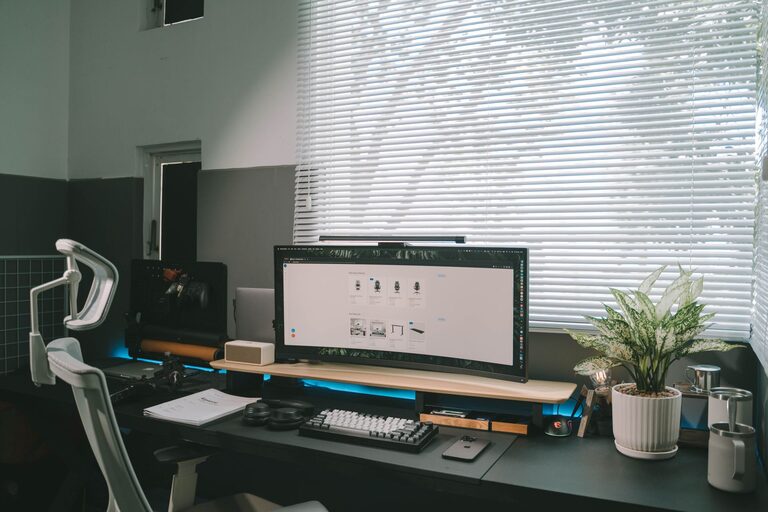
Avoid placing your screen directly in front of a bright window. If possible, position your desk so the window is beside you rather than behind or in front of the display. Use curtains or blinds to reduce harsh sunlight during the brightest part of the day.
A desk lamp can help when working in the evening, but avoid pointing it directly at your screen. Instead, aim the light toward your desk or a nearby wall. This creates useful background light without adding a bright reflection to the display.
Reduce Reflections and Glare
Glare can make text harder to read and may cause you to squint. Check your screen from different angles and look for reflections from windows, overhead lights, or glossy surfaces.
You can reduce glare by:
- Changing the angle of your monitor.
- Moving bright lamps away from the screen.
- Using a matte screen filter if reflections remain a problem.
- Cleaning the screen regularly with a soft, suitable cloth.
Adjust Text, Brightness, and Contrast
Many people tolerate small text or uncomfortable brightness settings longer than they need to. Adjust your display so that reading feels easy without leaning toward the screen.
Increase the text size in your operating system, browser, email app, and other frequently used programs. You can also use built-in zoom controls when reading websites or documents.
Brightness should generally match the room. A screen that looks like a bright lamp in a dark room may feel harsh, while a very dim display can make text difficult to see. Adjust the brightness gradually until the screen feels similar to the surrounding environment.
Contrast also matters. Dark text on a light background is often easier to read for long periods, but different people prefer different settings. Try a few options and choose the one that lets you read comfortably.
Follow the 20-20-20 Break Habit
Long, uninterrupted screen sessions can make it easy to lose track of time. A simple reminder can help you pause regularly: every 20 minutes, look at something about 20 feet away for at least 20 seconds.
The goal is not to follow the numbers perfectly. The important part is to shift your focus away from the nearby screen and give your eyes a brief change of pace.
You can make breaks easier by:
- Setting a quiet timer on your computer or phone.
- Using an app that reminds you to pause.
- Standing up to refill your water.
- Looking out a window between tasks.
- Grouping short breaks with natural stopping points.
During longer work sessions, take a few minutes to move around, stretch gently, or complete a task away from the screen.
Remember to Blink
People often blink less when concentrating on a screen. This can contribute to a dry or tired feeling. Make a habit of blinking fully and often, especially when reading small text or watching detailed content.
You can also use screen-free moments to relax your focus. Close your eyes briefly while listening to an audio clip, or look across the room after finishing an email. These small pauses can fit naturally into your day.
Keeping the air around your workspace comfortable may help as well. Avoid sitting directly in front of a fan, heater, or strong air vent, since moving air can make the area feel less comfortable.
Organize Your Workday Around Screen-Free Tasks
Not every task needs to happen on a computer. Look for opportunities to reduce continuous screen use without affecting your productivity.
For example, you might:
- Listen to a meeting instead of watching the video when appropriate.
- Print a short document for review, if printing is practical.
- Use voice notes while planning ideas.
- Take phone calls while walking around your home.
- Write a daily task list on paper.
Alternating between digital and offline activities gives you a natural break from close-up screen viewing.
Create a More Comfortable Home Workspace
Your overall workspace can influence how long you stay in one position. Keep your chair, desk, and screen arranged so you can sit comfortably without leaning forward.
Place your keyboard and mouse where your shoulders can stay relaxed. Keep your feet supported, and adjust your chair so you can work without raising or lowering your head to see the display.
If you regularly switch between a laptop, tablet, and phone, try to avoid holding small devices very close to your face. Increase the text size and support the device on a stand when possible.
Build Better Screen Habits in the Evening
Screen use late in the day can make it harder to create a calm transition toward bedtime. Consider reducing bright screen use before bed, especially if you are using a device for entertainment rather than an essential task.
You can also lower the brightness, choose a warmer display setting, or use a night mode if your device offers one. These features may make evening viewing feel more comfortable, though they should not replace regular breaks.
Keep a book, notebook, or another screen-free activity nearby so you have an easy alternative when you want to step away from your devices.
Make Changes One at a Time
You do not need to redesign your entire routine in one day. Start with one or two changes, such as increasing text size and setting regular break reminders. After a few days, adjust your lighting or screen position if needed.
Pay attention to what makes your home setup feel more comfortable. A well-placed screen, balanced lighting, regular pauses, and readable display settings can make a noticeable difference over time. The most effective approach is a simple routine that fits naturally into your day and is easy to maintain.
